Tested on: Debian 12 container, Node.js 22.23.4, OpenCode 1.19.5, November 10, 2026.
Model ID without the opencode/ prefix |
Command result | What Chromium showed |
|---|---|---|
beam-free |
15 seconds, exit 0, file written | The localized Add button worked and both items survived reload |
big-pickle |
27 seconds, exit 0, file written | Same button and both items retained |
deepseek-v4.1-flash-free |
10 seconds, exit 0, file written | Same button and both items retained |
flint-40b-free |
90-second timeout, exit 124, file unchanged | Button still read Add and reload cleared the list |
Install the CLI and check the model ID
We installed OpenCode with npm install opencode-ai in a Debian container. There is no separate installation time because we installed and listed models in the same batch. To use the tested version, run the following in an empty folder.
npm install opencode-ai@1.19.5
npm exec -- opencode --version
npm exec -- opencode models opencode
npm exec -- opencode run --help
Use the exact provider/model ID from your own list. All four models started in this run without signing in or setting a provider API key. The test covered a single run per model. We did not measure the service’s free usage allowance. The run used free models only. OpenCode CLI · Models and plans
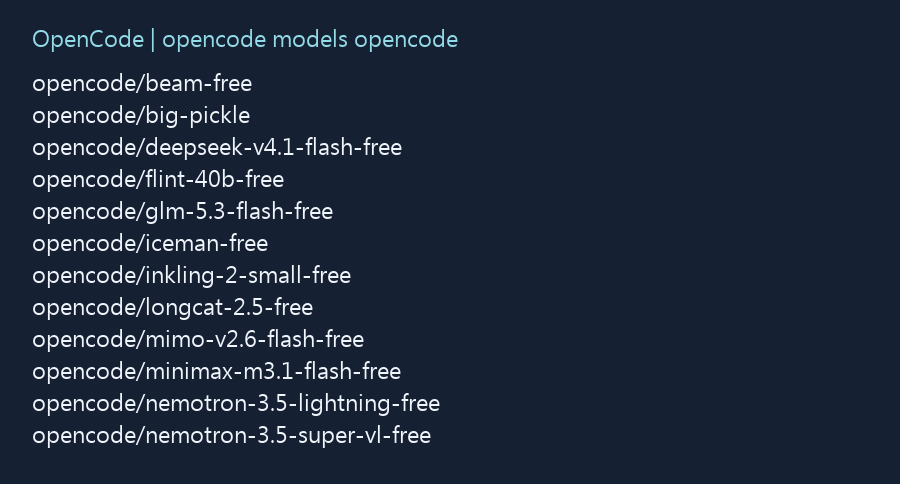
Choose a model for the work in front of you
For a small HTML edit with a result you can check in a browser, Beam and DeepSeek both completed the job. DeepSeek finished first in this run. Beam finished with file tools even after a shell call was blocked. Big Pickle passed the same checks and is another candidate if those IDs are missing, subject to its data policy. Flint hit a file-read argument error and left the starter unchanged.
| Task | Where to start | What to verify |
|---|---|---|
| Edit a disposable demo page | Check your current list for DeepSeek or Beam. Try another listed free candidate if needed. | Confirm the file changed, the button matches the request, and both items survive reload. |
| Ask the model to explain the file first | Ask it to point to the button handler and the code that saves items. Hold off on granting write access. | Check the behavior against the file you gave it. The starter keeps the list in the page. |
| Refactor several files or work with real data | Check the provider’s data policy and run a small sample with approved content. | Set a file scope and run your own checks. The test here covered one file, so its timings do not answer the larger question. |
In a separate readback task, the three models that completed the edit identified index.html and localStorage. The record does not establish which revision they read. If you try the readback on the starter below, an answer claiming the list is already saved to Local Storage would be wrong.
Check free access, limits, and missing models
Use the official model page to check whether a model is still in its free period and whether it carries a quota, region restriction, or data condition. We started all four without signing in on November 10, 2026. OpenCode listed them as free for a limited time, and we did not measure their allowances. The official list gave LongCat 2.5 Free 100 requests a day at that date. Go has a separate allowance list for subscribers. OpenCode free models
- The ID is missing from the list. If the entire free list is missing, check the terminal or startup script for
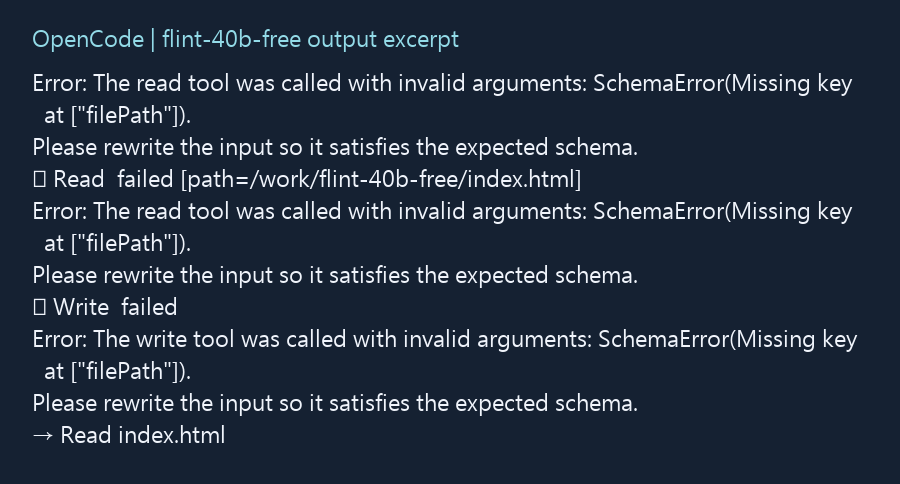
OPENCODE_DISABLE_FREE_MODELS=1, which hides free models. If only one ID is missing, look for it in the official free and deprecated entries. Choose another exact ID that still appears in your CLI and the free list. - The model is listed but the task fails. Read the actual error. Flint repeatedly reported a missing
filePath. That points to the tool call in this run. Record the error and inspect whether the file changed before deciding to switch models. - You use the Console API or a different provider. Check where the request is going. The documented pay-as-you-go Console path uses an account, credits, and a key. OpenCode’s free chat models are available through OpenCode itself. A connected provider may have its own sign-in, credentials, and billing. Console access and endpoints · Provider authentication
Check data terms before using real work. On November 10, the official docs described DeepSeek V4.1 Flash Free as zero-retention with no training on your data. Beam Free’s provider does not train on the data but retains it for 30 days for safety. OpenCode says Big Pickle may use data collected during the free period to improve the model. Beam’s free listing also excludes certain regions. Flint’s free-period data may be used to improve the model, with 30 days of retention listed in the privacy section. The browser test did not verify provider retention. OpenCode privacy terms by model
Compare free access, a subscription, and metered usage
Start with the provider and model ID your run will use. Go and Go Plus are monthly subscriptions. On November 10, 2026, the official product page listed Go at US$10 per month and Go Plus at US$40 per month. It shows example request allowances by model. Those figures illustrate typical usage, and the same subscription does not mean every model consumes its allowance at the same rate. For models with a metered allowance, the Go docs list separate windows. The five-hour limit is 20% of the monthly amount and the weekly limit is 50%. If you batch your edits on one afternoon, the shorter window can fill while there is still room in the month. Check the allowance table in the Go documentation for your model before changing plans. OpenCode Go plans · Go usage limits
The pay-as-you-go Console lists rates by model and usage category. Check input, output, and cache prices separately. For instance, if a model charges a given price per million input tokens, 100,000 input tokens use one tenth of that input rate before any output or cache charges. A provider you connect separately can have its own account and pricing rules. Check the selected ID and the usage record before treating an estimate as a bill. Credit purchases also have a processing fee. On the verification date the listed fee was 4.6% plus US$0.31, so a purchase of US$10 in credit would cost US$10.77 at checkout. If your workspace uses automatic recharge, check what happens when its balance runs low and what monthly budget applies to each member. Console pricing and budgets
For a disposable edit you run once, a listed free model may be enough. If the same job runs every day, use a few representative tasks to see how many attempts it takes to get an acceptable result. Include retries and count a result only after checking the file and the browser. A short first response does not tell you whether the task will take another run or leave you with code to repair. Estimate a recurring workflow from its own runs, especially if it will edit several files or use data that has to stay private.
Separate a model failure from an access or quota problem
Save the selected provider and model ID, the terminal result, and what changed on disk. If the service reports a quota or login issue, check the account and the plan that applies to that request. If the tool reports a missing argument, inspect the failed operation and whether the file changed. In the Flint run, the recurring error named the file path argument and the file remained unchanged.
Compare the output file with the starter before opening the browser. If a run says it wrote a file but there is no diff, confirm that you are inspecting the working directory used for that model. In a project with several files, list which ones the model changed before accepting the result. An edit to a copied page outside the path the browser serves would otherwise look like a UI failure.
Give every model the same starting file
Each model got its own folder with the same index.html. The original app could add items to the page. Its Add button was in English, and a reload cleared the list. The test allowed reads and writes to the demo file and blocked shell commands and access outside the demo folder.
Under the installation folder, put a starter file in a separate subfolder for each model. Run the command from that subfolder. In v1.19.5, --pure disables external plugins. This example does not apply the original permission rules or timeout.
npm exec -- opencode run --pure --model opencode/beam-free "Edit only index.html. Set the Add button to the Traditional Chinese characters U+65B0 U+589E. Save the items to localStorage and restore them on reload."
Use a fresh copy for each model. The timer started when its command launched and stopped when the process ended, with a 90-second cap. Beam first tried a blocked bash call, then completed the edit using Glob, Read, and Write. Compare the resulting file with the starter before moving to the browser.
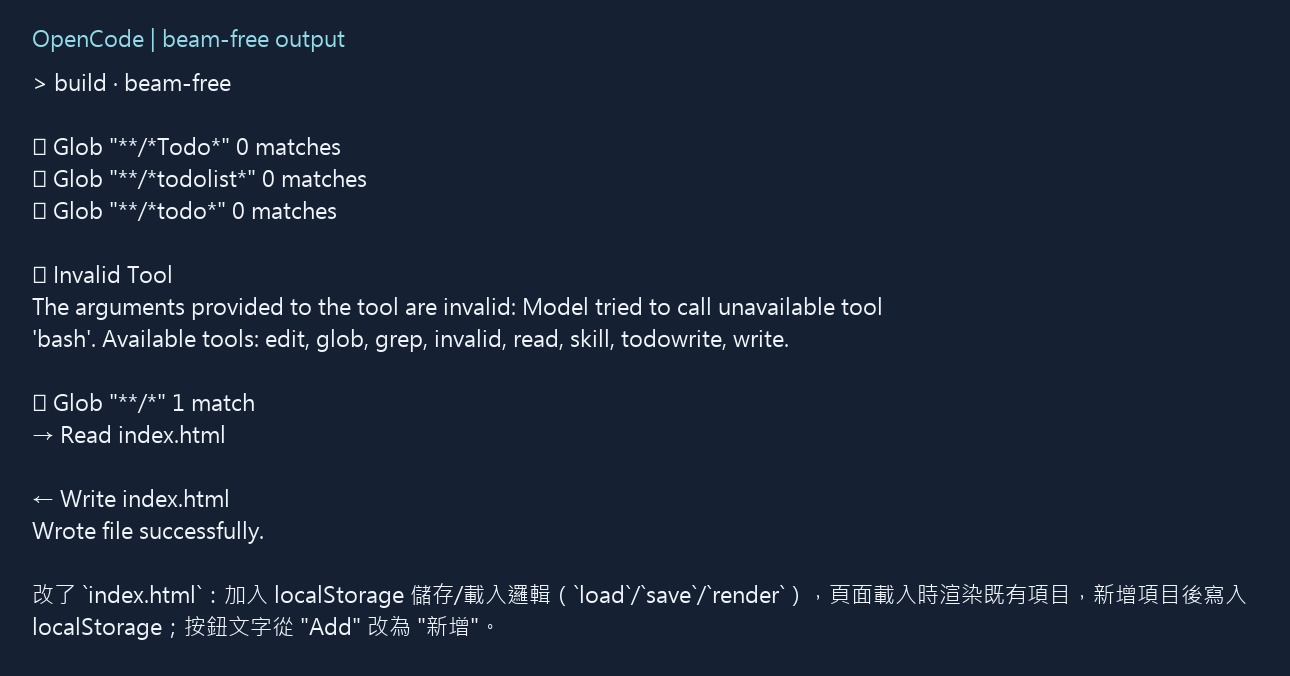
Check storage before reloading
The first browser check opened file:// and gave inconsistent results across runs. Flint’s output file also had yet to be copied into place. We moved the outputs to a local HTTP server and repeated the browser check using the same button events. That rerun used the files already on disk.
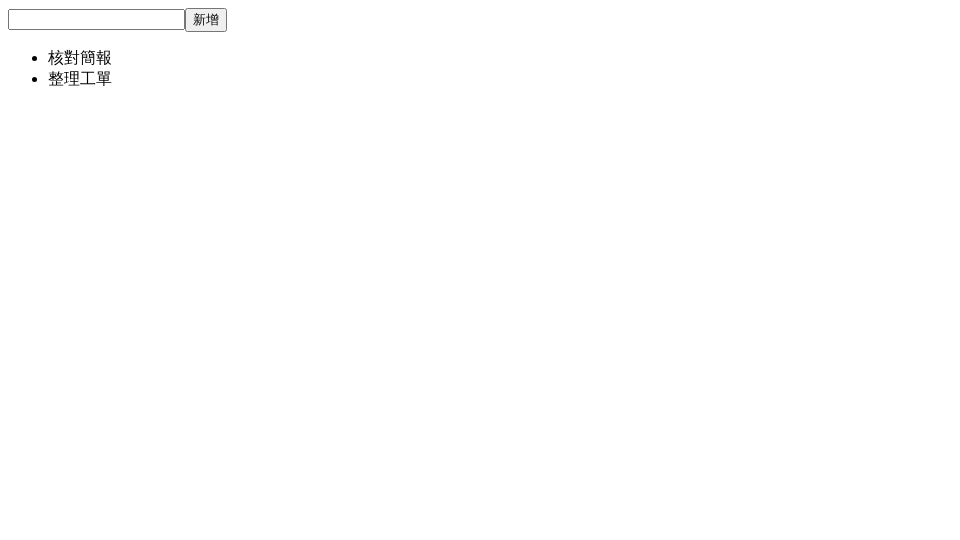
- Open this run’s page over HTTP. Check the button against the two Traditional Chinese characters in the model prompt. Add two distinct items, such as “Review the slides” and “Sort the tickets,” pressing the page’s current Add button after each item.
- Before reloading, check the two items on screen and inspect Local Storage for this origin in developer tools.
- Reload the same URL and check that both items remain. In developer tools, keep the same origin selected for the storage check. A different hostname or port can show a different store even if it serves the same file. Start each run with a new browser profile or clear that origin’s storage first, so the page cannot read the previous run’s items.
All three passing copies showed two list items and had saved data before reload. Flint’s copy also showed both items, but Local Storage was empty. After a reload the list disappeared.
What stopped Flint from finishing
The original terminal output repeated this error.
The read tool was called with invalid arguments: SchemaError(Missing key at ["filePath"]).
The process exited with code 124 at the 90-second limit, and index.html still matched the starter. The unchanged file and the storage check separate the failed edit from a browser bug introduced by a new implementation. We did not retry Flint with a paid model.
If the real page already has users, I would seed an item using the old version before testing a change. This starter has no saved values, so passing the reload check shows that newly created items persist. An edit can save new entries successfully while leaving existing ones behind under an old storage key. Verify that a seeded item survives the upgrade and that you can still add a new item.
A starter you can use for the reload check
This recreated sample has the same two gaps as the original. Save it as index.html. If you have Python 3, serve the folder with python -m http.server 8765 --bind 127.0.0.1 and open http://127.0.0.1:8765/. Verify that the baseline loses the list on reload, then give a copy to the model.
<!doctype html>
<html lang="en">
<meta charset="utf-8">
<title>To-do list</title>
<form>
  <label for="task">To-do item</label>
  <input id="task" required>
  <button>Add</button>
</form>
<ul></ul>
<script>
  const task = document.querySelector('#task');
  document.querySelector('form').addEventListener('submit', event => {
    event.preventDefault();
    const text = task.value.trim();
    if (!text) return;
    const item = document.createElement('li');
    item.textContent = text;
    document.querySelector('ul').append(item);
    task.value = '';
  });
</script>
</html>