On this page
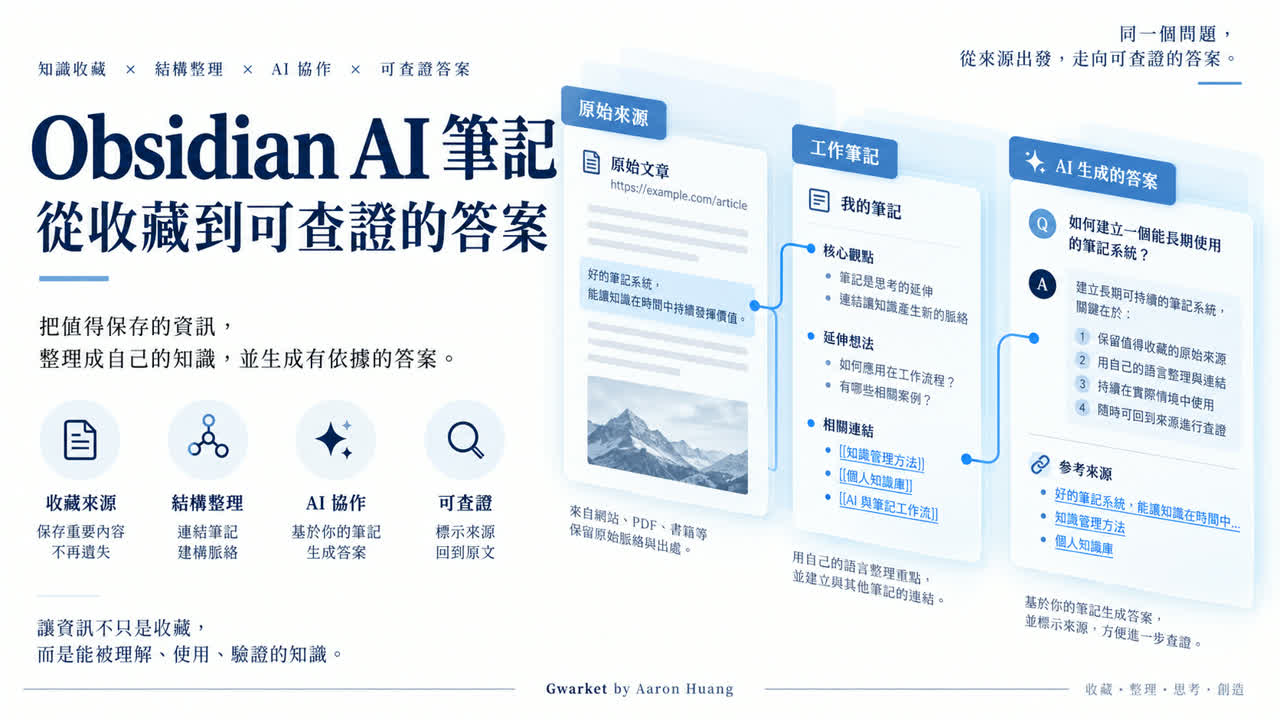
An AI note system becomes useful when an answer can lead back to the work note and the original source. Start with five portable Markdown files, not a large plugin stack.
Practice material: download the five-file example vault. It contains short summaries of public sources, templates, and a teaching answer—no private vault, API key, or third-party AI plugin.
What do Obsidian and AI each do?
Obsidian stores and links local Markdown files. AI can help reorganize selected text, but it does not automatically make a source correct or a citation supportive. You remain responsible for selecting allowed material and checking the result.
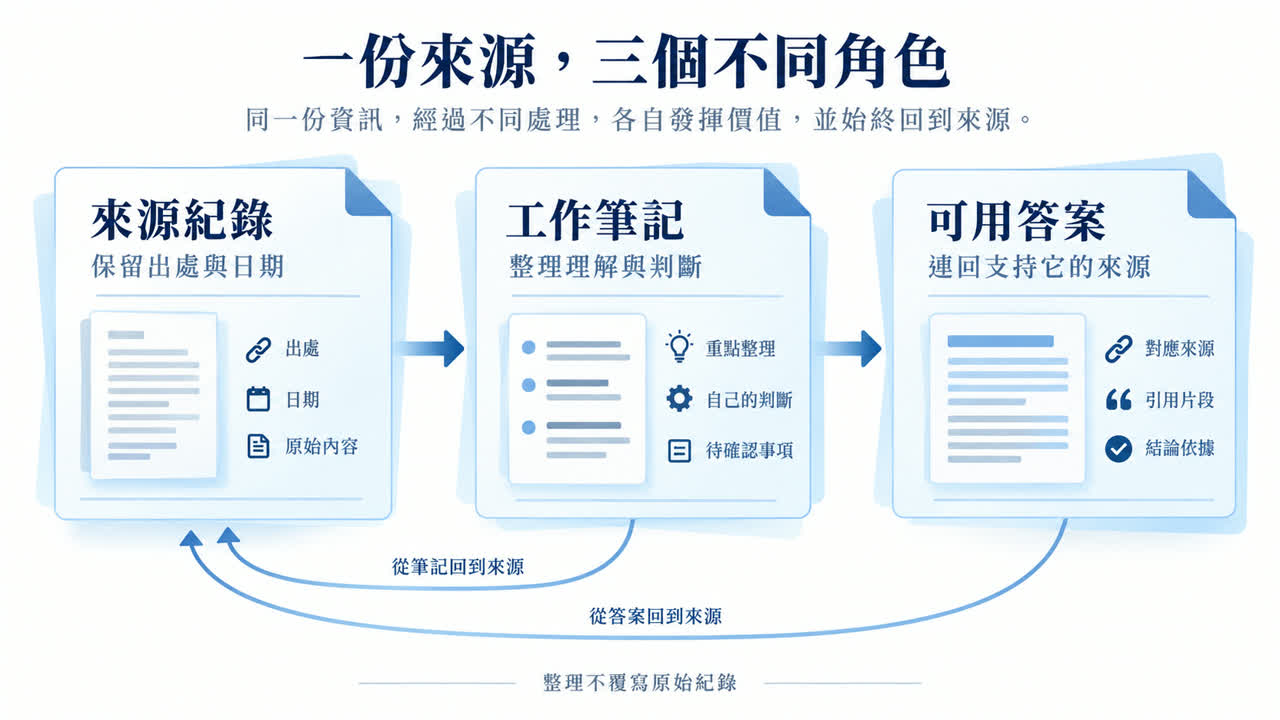
| Role | Obsidian | AI | Human check |
|---|---|---|---|
| Source | Stores URL, date, and summary | May reorganize selected text | Rights, version, and meaning |
| Work note | Links source and judgment | May draft a structure | Separate fact from inference |
| Answer | Stores a reusable result | May synthesize supplied notes | Verify each conclusion |
Create a small practice vault
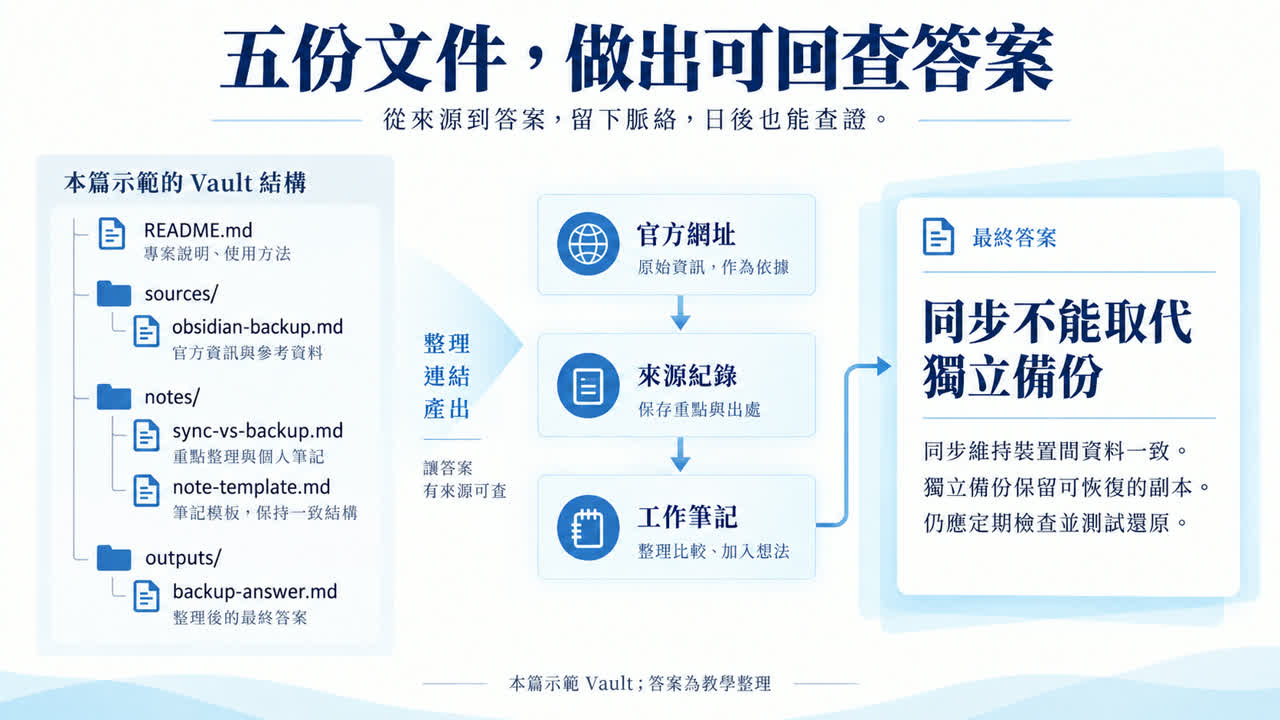
traceable-notes-vault/
  README.md
  sources/obsidian-backup.md
  notes/sync-vs-backup.md
  notes/note-template.md
  outputs/backup-answer.md
Open the extracted folder as a separate vault. Do not overwrite an existing vault. The same Markdown files remain readable without Obsidian.
- Download and extract the example into a new folder.
- In Obsidian, choose “Open folder as vault” and select that folder.
- Open README.md, then follow its links through sources, notes, and outputs.
- Do not merge it into an existing vault until the exercise is understood and disposable.
Preserve enough source context
Record the title, source URL, capture date, reason for saving, a short relevant summary, and unanswered questions. The package summarizes Obsidian's backup guidance; it is not a mirror of the official page.
title: Obsidian backup guidance
source_url: https://obsidian.md/help/backup
captured_at: 2026-09-09
record_type: source-summary
A Web Clipper template can standardize these fields. This article chooses one source record per capture so date and provenance remain visible; that is an editorial method, not an Obsidian requirement. Respect quotation and sharing rights for paid or workplace material.
Turn a saved page into a work note
Name the note after a reusable question, such as “How are sync and backup different?” Separate source-supported statements, your judgment, and current limitations. Do not let an AI rewrite the source record into a mixed text with unclear authorship.
Separate source facts from your judgment
# Question: How are sync and backup different?
## What the source supports
[Write the supported statement and link the source record.]
## My judgment
[Write the operational implication as your judgment.]
## Limits and unanswered questions
[Record what this source cannot establish.]
Link for verification, not decoration
An output should link to the work note and the direct source record. A valid file link proves location, not support. From the answer, you should be able to reach the official source through at most one work note.
Give AI only the necessary notes
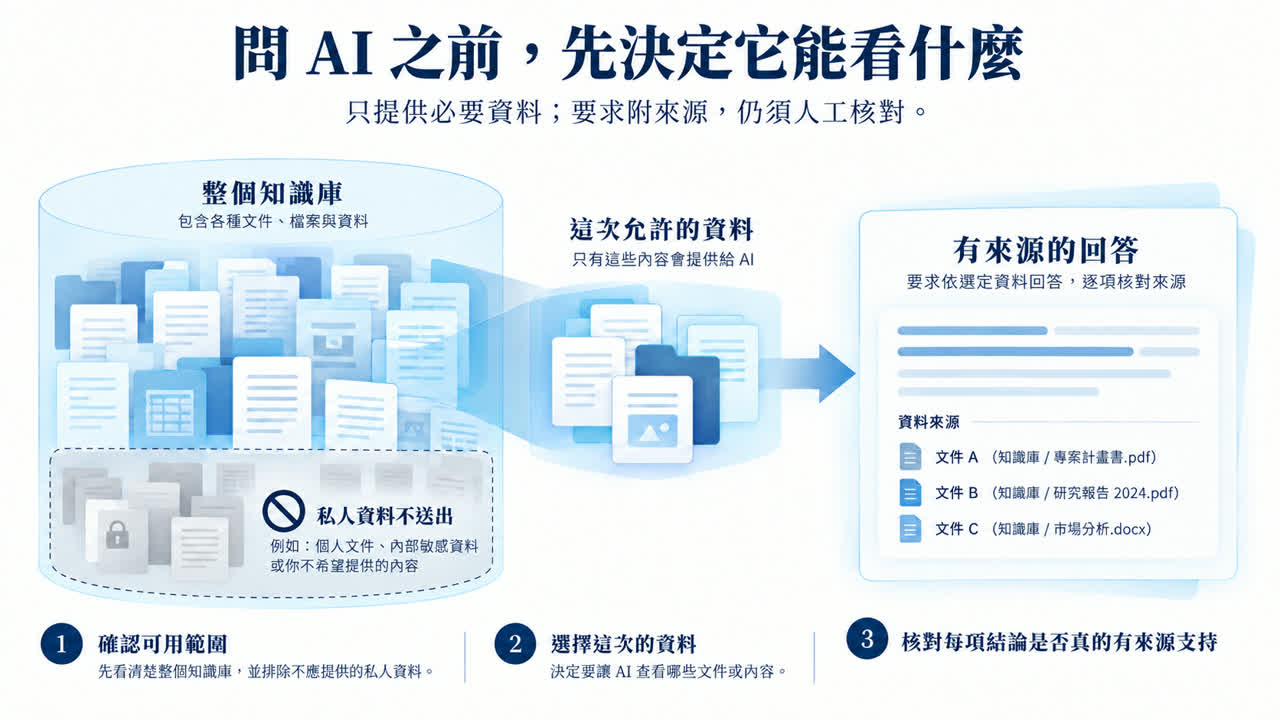
Local storage does not make later cloud processing local. Select only the source and work note needed for the question; keep journals, customer records, and other projects outside the supplied scope.
Answer only from the two attached notes.
Return: one-sentence answer; supported reasons with filenames and URLs;
recommendations labeled as recommendations; and unresolved questions.
Do not modify the source or work note.
Verify and save the answer separately
| Answer fragment | Status | Action |
|---|---|---|
| Sync and backup serve different functions | Source-supported | Attach the official URL |
| Keep recoverable history | Recommendation | Explain its purpose |
| Backups must last 30 days | Insufficient evidence | Find a requirement; do not invent a standard |
The example validates five files and seven internal links. It does not test Obsidian itself, an AI plugin, retrieval quality, or a private vault.
Keep maintenance proportional to use
Organize active questions first. Date source updates, preserve earlier judgments, and run an occasional restore test on non-sensitive notes. Measure value by whether you can find and verify a later answer, not by note count.
Frequently asked questions
Do I need an AI plugin?
No. Manually selecting a few notes is enough to learn the traceability method.
Does local storage prevent data leakage?
No. Check the sync, plugin, and AI-service data flow before providing sensitive notes.
Should I move every old note into the new structure?
No. Copy a small set of permitted material into a separate practice vault and expand only after you can find, understand, and verify it.
Does a citation prove the answer?
No. The cited source may not support the sentence; check meaning, scope, and date.
References and demonstration boundary
Checked September 9, 2026: Obsidian: Back up your Obsidian files and Web Clipper templates. The five-file exercise is original and no AI plugin was tested.