On this page
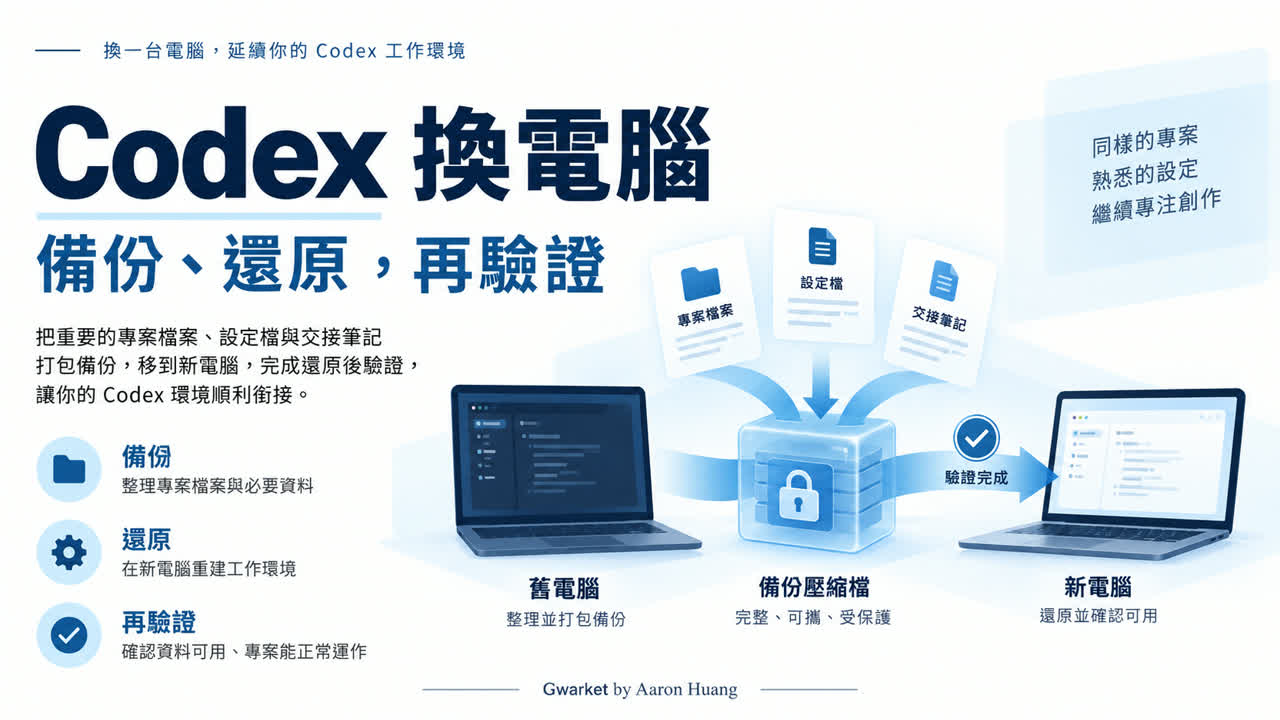
When moving Codex to another computer, preserve project output and work context first, then handle configuration and sign-in. Copying one .codex folder does not prove that projects, conversations, tools, and the execution environment are restored.
Practice material: download the migration checklist, synthetic project, and restore verifier. It reads only the fixture inside the package, not your Codex home, real conversations, or credentials.
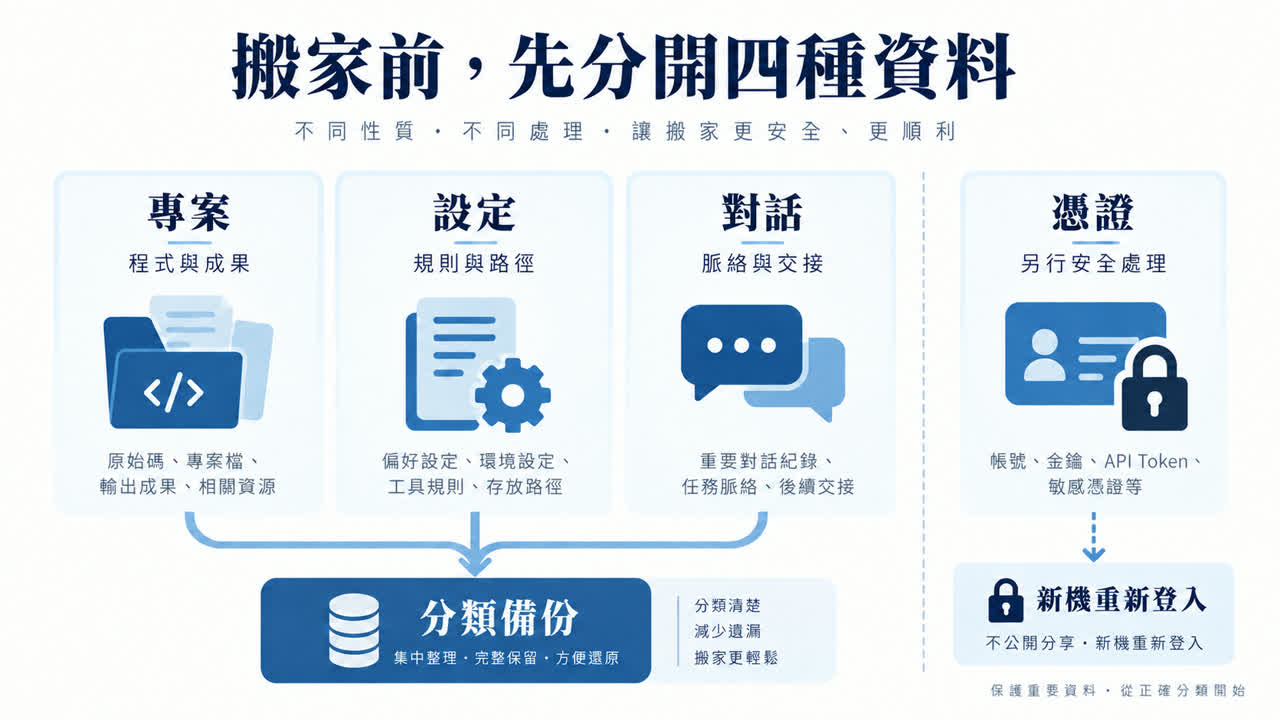
Separate four data roles
| Data | Purpose | Check on the new computer |
|---|---|---|
| Project files | Code, documents, media, uncommitted work | Files and revision are correct |
| Rules and settings | AGENTS.md, configuration, owned skill sources | Paths, dependencies, and permissions fit |
| Conversation and handoff | Decisions, unfinished work, verification | Readable and actionable |
| Credentials | Controlled account access | Sign in again; handle secrets separately |
Locate projects and configuration
Projects live in the work folders you opened, not necessarily inside application state. Codex uses CODEX_HOME for local state by default, but it may be overridden. Windows and WSL may have separate user environments. User config and project-level .codex/config.toml are distinct.
Create a non-secret inventory
Record project location, execution environment, revision, important output, and unsaved or uncommitted changes. Record configuration paths and purposes without pasting secret contents into a public document.
For skills and plugins, preserve sources and versions you own. Treat installed caches as rebuildable until the new environment reinstalls and verifies them; the presence of an old cache does not prove a plugin is usable.
Keep secrets outside public packages
Tokens, API keys, .env files, customer data, and private conversations require separate protection. OpenAI documents that sign-in state may use auth.json or the operating system credential store. Treat file-based credentials like passwords; this guide favors signing in again on the new computer.
Build a complete, dated backup
- Save work and stop writers before copying application state.
- Inspect Git branches, uncommitted files, ignored assets, and local-only branches.
- Separate rebuildable caches from irreplaceable source.
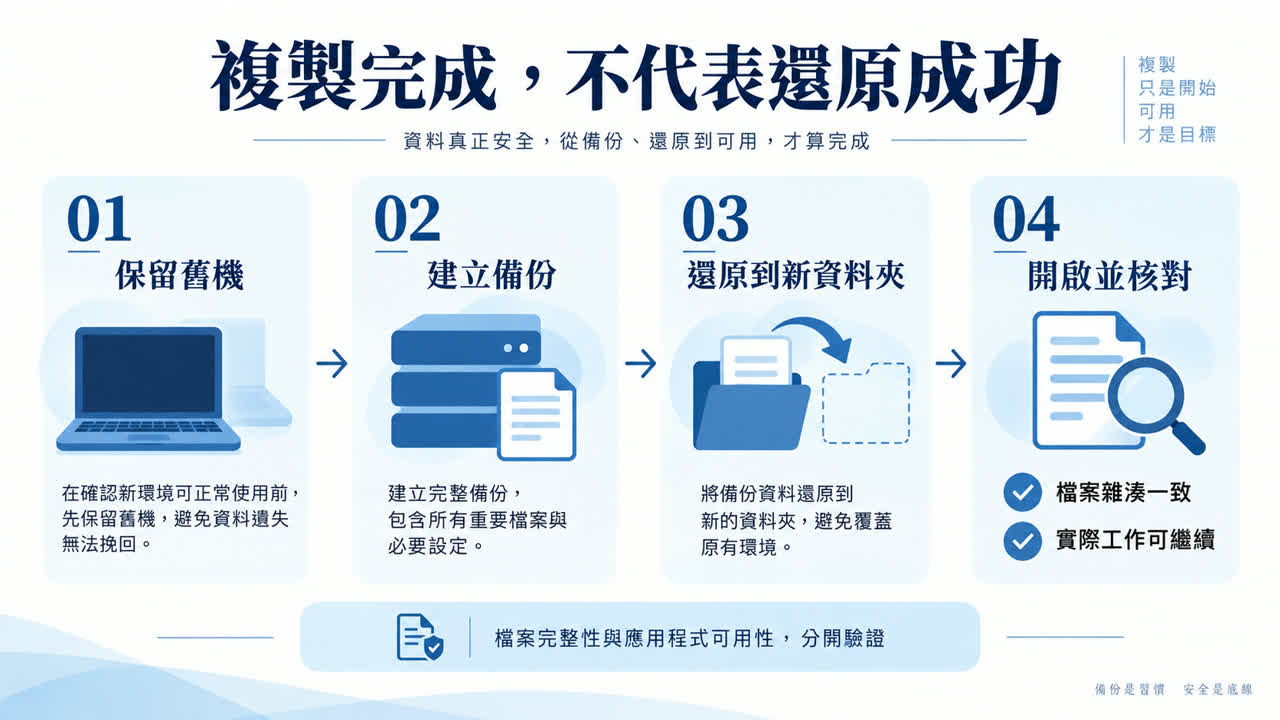
- Create a dated copy without overwriting the only old version.
- Save a file inventory, important SHA-256 hashes, and a readable handoff.
A Git worktree may contain a .git pointer to a common directory elsewhere. Moving only its work folder can leave an invalid old-machine path.
Restore to a new test location first
Install required applications and runtimes, place a project copy, compare files, adjust approved paths, sign in again, and run a disposable small task. File integrity and working capability are separate checks.
External services may require separate authorization even after Codex sign-in succeeds. Do not respond to a missing connection by broadening every permission. Managed workplace settings remain subject to organizational policy.
If your files are restored but a permission option or execution limit blocks you, follow the four-layer permission diagnostic checklist. Once the environment works, use your first Codex task to test a small piece of work. Success only confirms that tested task can continue; it does not establish that every previous workflow has been restored.
Do old conversations always return?
No guarantee can be made. Visibility depends on local or cloud storage, account, version, and product behavior. A listed local file such as history.jsonl is not a complete desktop-conversation restore specification. Preserve a human-readable handoff with the goal, verified revision, sources, next step, constraints, and unverified areas.
Current goal: finish the teaching document; do not change production.
Completed: first draft of draft.md.
Important sources: README.md, AGENTS.md, and the cited reference.
Current revision: [real branch or revision; write N/A if none].
Next step: verify the claims and wording in draft.md.
Do not change: do not expose credentials, deploy, or overwrite source material.
Unverified: the new-computer workflow has not been run.
Run the isolated restore exercise
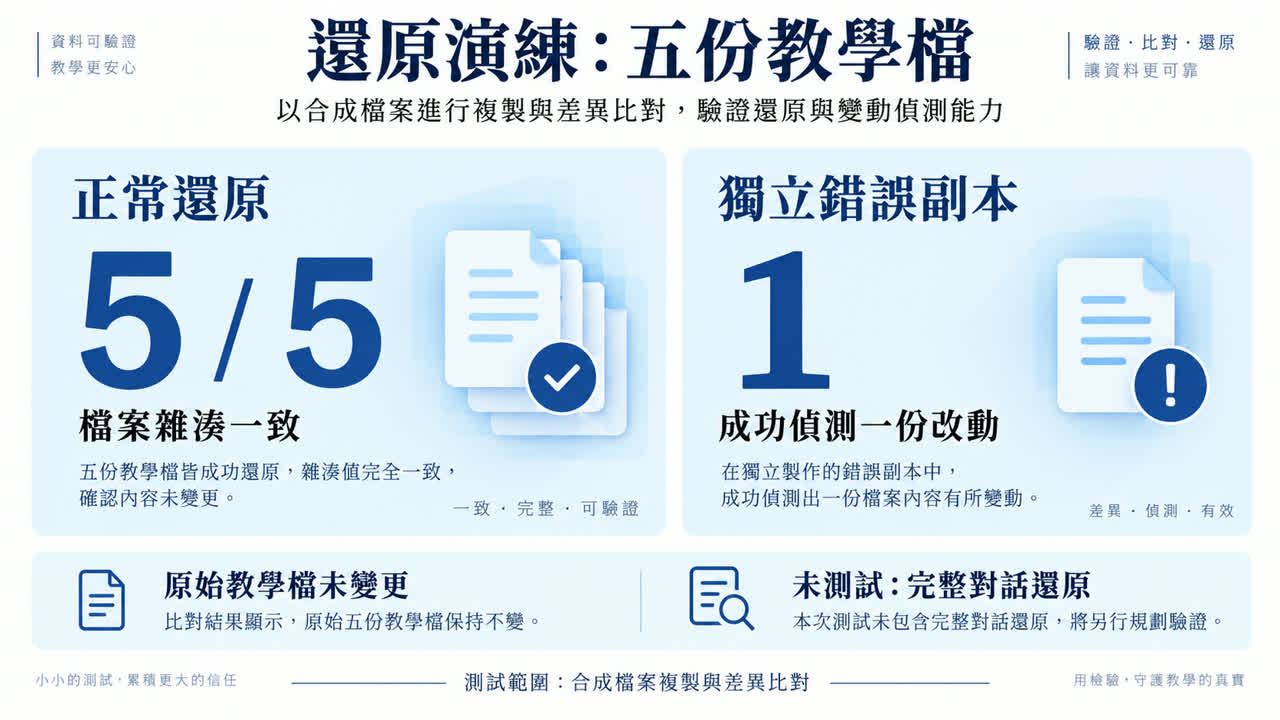
The package contains five synthetic files. Its Node.js verifier creates a manifest, copies them into a backup, restores them into a new temporary directory, and compares hashes. It also changes one file in a separate tampered copy to prove that the comparison catches a difference.
node verify-restore.mjsThe recorded exercise restored 5/5 synthetic files and detected the independently tampered copy. It did not move a live Codex installation, access a real home directory, connect to a network service, or test cross-device chat migration.
Define completion in three layers
| Check | Proves | Does not prove |
|---|---|---|
| Hashes match | Checked file bytes match | Dependencies are installed |
| Application opens | The application starts | All conversations and settings are correct |
| Codex sign-in succeeds | The account authentication works | External tools and services are authorized |
| External tool reconnects | That one integration is authorized | Other integrations work |
| Small task succeeds | The tested path works | Every old workflow works |
Frequently asked questions
Is GitHub enough?
Not if uncommitted files, private assets, unpushed branches, or work context exist only locally.
Should I copy auth.json?
It may contain sensitive tokens and may not be your current storage method. Prefer a new sign-in and never place real credentials in a public package.
Can I use the same steps across Windows, macOS, and WSL?
Documents are portable, but paths, scripts, dependencies, permissions, and application state require separate verification.
Can I delete the old computer when I see the backup ZIP?
Not yet. Extract and verify the backup, then prove that a critical work path continues. Keep the old computer and backup for an appropriate recovery window before separately deciding on secure removal.
References and verification boundary
Checked September 9, 2026: OpenAI documentation for basic configuration, configuration and state, and authentication. The five-file restore exercise is original and is not a full Codex migration specification.