On this page
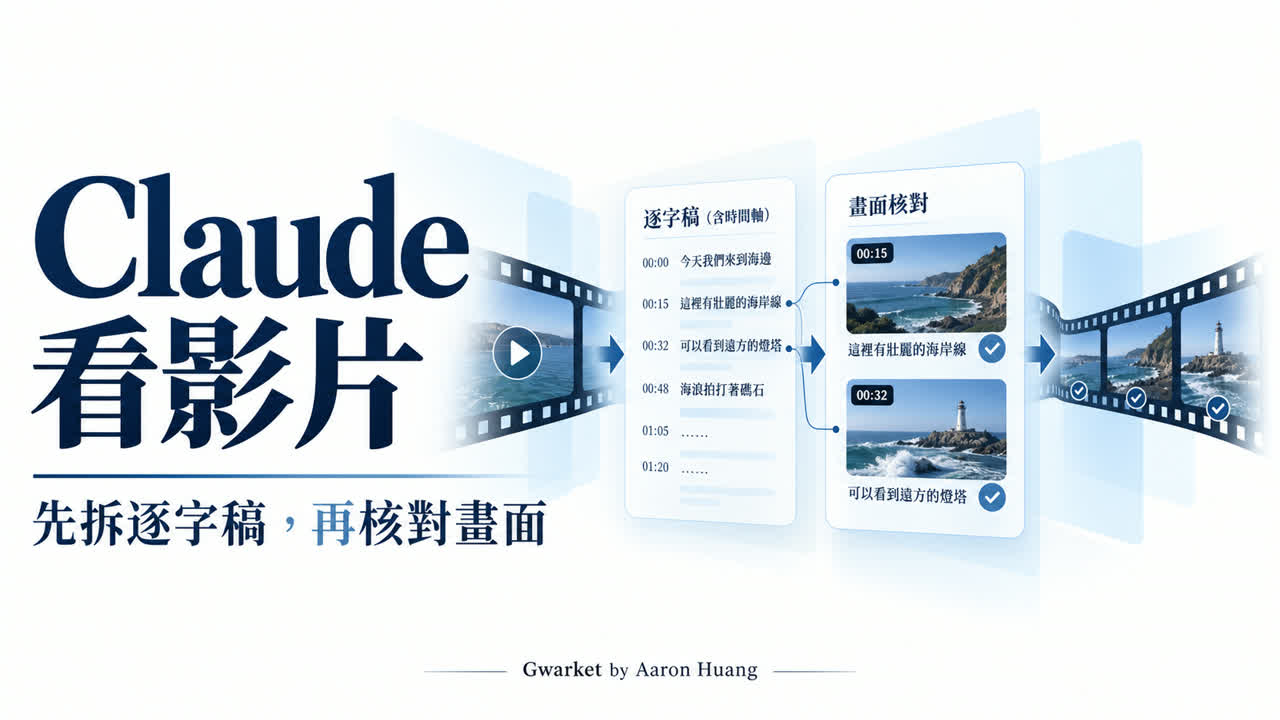
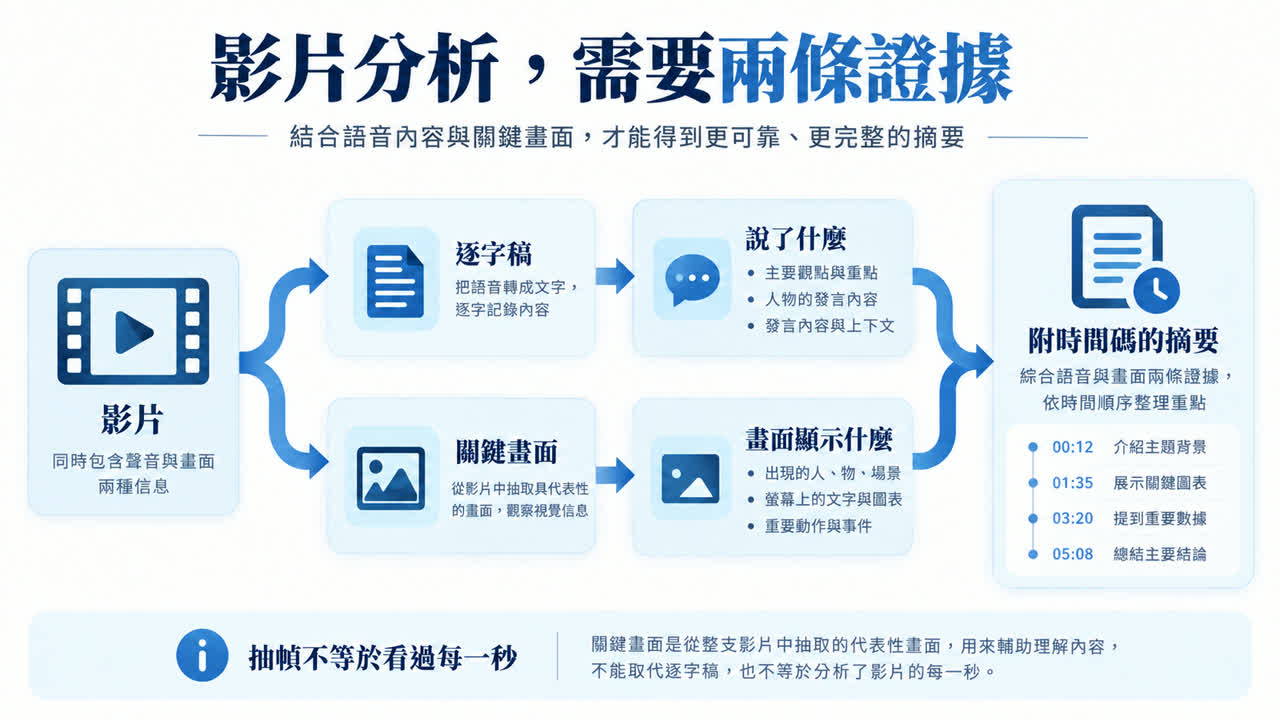
Before asking Claude to summarize a video, identify what it actually received. A transcript can support what speakers said; selected frames may add slides, interface states, and chart values. A URL alone does not prove the model watched the entire video.
Practice material: download the transcript, teaching frames, and evidence checklist. These are original teaching materials, not a real meeting, extracted video, or Claude test output.
Can Claude directly read a video file?
The Claude file-upload documentation checked September 9, 2026 lists text documents and JPEG, PNG, GIF, and WebP images, but does not list MP4. This article therefore uses a transcript-plus-images workflow. The boundary applies to that documented upload entry, not every Claude product, third-party tool, or future release.
What can transcripts, captions, and frames answer?
| Question | Primary input | Remaining risk |
|---|---|---|
| What reasons did a speaker give? | Timestamped transcript | Names, numbers, and negation may be mistranscribed |
| Where is a control? | Transcript plus before/after frames | Intermediate steps may be missing |
| What does a chart show? | Readable chart frame and timestamp | Check axes, units, period, and notes |
Record the source and the exact question
Keep the title, URL or filename, duration, access date, and the question you need answered. Confirm that you may process meetings, customer presentations, or paid courses with the selected service. Redact names, email addresses, account details, and unrelated customer information.
Prepare a timestamped transcript
Keep the original transcript and save corrections separately. Add a timestamp to each segment and, when needed, a speaker label. First verify names, dates, percentages, money, and limiting words such as “not yet” and “if.”
Check words that can reverse the conclusion
Confirm that timestamps belong to the same cut of the video. Removing an intro, changing playback speed, or re-editing the source can shift every later timestamp. Sample the beginning, middle, and end; until the offset is corrected, do not present the timestamps as precise citations.
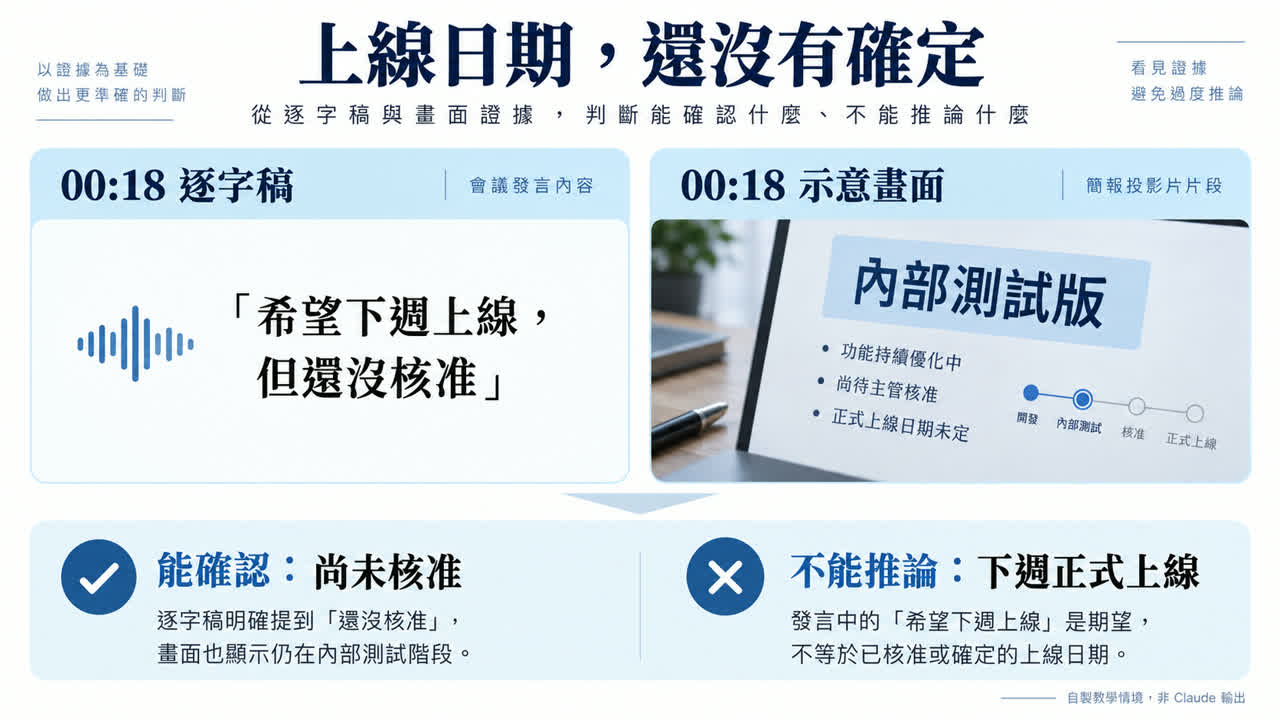
[00:08] Speaker A: June trials were 120.
[00:18] Speaker A: We hope to launch next week, but it is not approved.
[00:30] Speaker A: Finance still needs to confirm the budget.
Select frames that change the interpretation
Capture slide changes, visible numbers, and before/after interface states. Put the timestamp in each filename. Two still frames do not prove every action between them, so return to the source video when continuity matters.
Images embedded inside a non-PDF document are not necessarily supplied with the document text. If a visual detail matters, provide the image separately and confirm that it is readable. Frame selection should follow the question, not an arbitrary capture interval.
Ask for a traceable summary
Use only the attached transcript and frames.
For each conclusion provide: conclusion, timestamp, evidence type, and uncertainty.
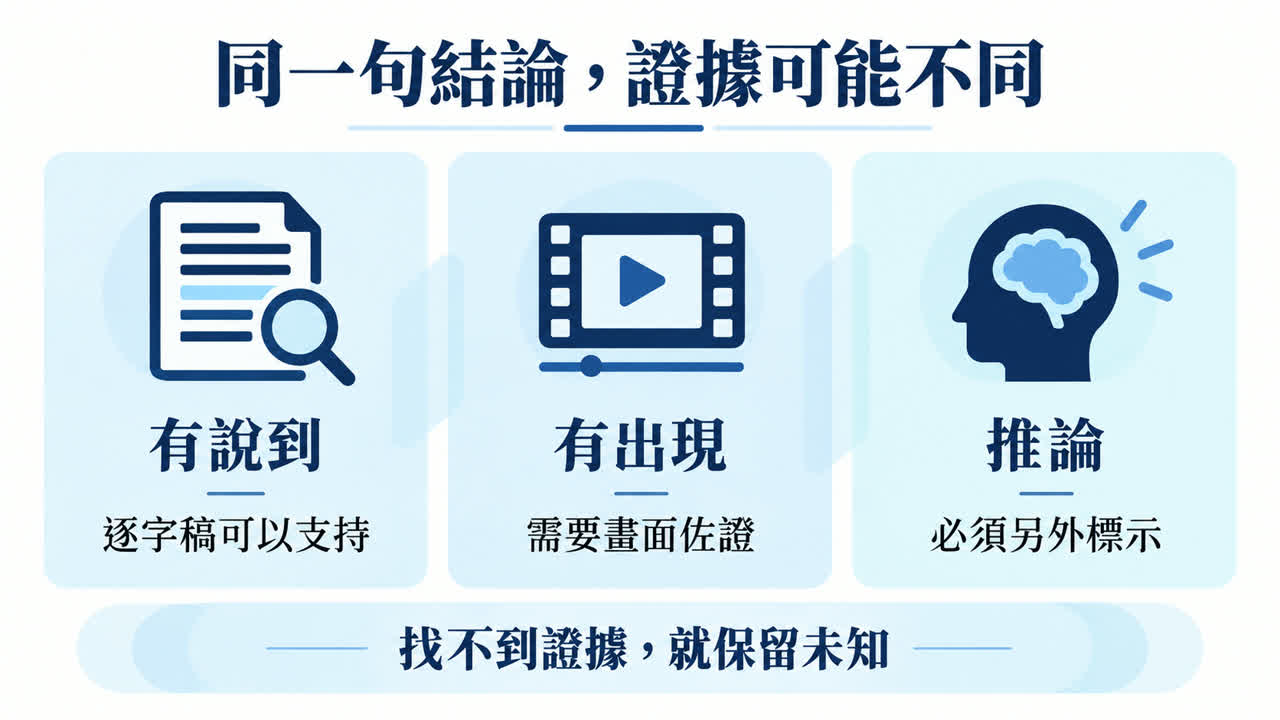
Separate spoken claims, visible information, and inference.
If the evidence does not identify an owner or approved date, leave it unresolved.
What should frames add to the transcript?
In the teaching example, the 00:18 transcript says next week's launch is not approved. A frame labels the build “internal test.” Together they support “the public launch date is not final.” They do not support an approved date or a claim that Claude watched a real video.
Verify the summary
- Open every important timestamp.
- Check names, figures, dates, and negation.
- Distinguish speech, visible evidence, and inference.
- Mark gaps instead of filling them.
| Check | Question |
|---|---|
| Coverage | Which time range did the transcript and frames actually cover? |
| Claim | Does the evidence support the exact sentence, including negation and uncertainty? |
| Numbers | Do transcript and frame agree on value, unit, period, and denominator? |
| Action | Were owner and due date stated, or inferred? |
| Contradiction | Do not choose the convenient source; report both and return to the video. |
Human-created answer key for the teaching package—not a model score:
| Candidate statement | Answer-key result | Reason |
|---|---|---|
| June had 120 trial users | Supported | The 00:08 transcript states 120. |
| Launch next week is confirmed | Not supported | The 00:18 transcript says it is not yet approved. |
| The shown build is an internal test | Requires the frame | The label is visible in the teaching frame, not spoken in the transcript. |
| The budget is NT$100,000 | Not provided | The transcript says finance must confirm the budget but gives no amount. |
Frequently asked questions
Is pasting a YouTube URL enough?
No. Confirm what transcript or frames the tool actually obtained and what time range they cover.
What if there are no captions?
Create a transcript with an authorized method, keep the original, and mark uncertain passages.
Do I need a “watch video” Skill?
No. A Skill may orchestrate transcription or frame extraction, but its name does not prove the model received the full video. Inspect its actual inputs and coverage.
Do images prevent errors?
No. Images may be unreadable, incomplete, or interpreted incorrectly; verify them against the source.
Reference and demonstration boundary
Feature information checked September 9, 2026: Anthropic: Upload files to Claude. The workflow and materials are original instruction, not a Claude A/B test.